Download and Install the Authorware WebPlayer Plugin.


Set your monitor resolution to 800 x 600.

Revisit this page and click on the link below. Wait for the course to load and away you go.

Click one of the choices of training below.
Microsoft Windows for Kids
This online version of the course parallels the face to face version. It was created with Macromedia Authorware and can be accessed via a web browser with the Authorware WebPlayer Plug-in installed.
To access the online version you must:
|
Download and Install the Authorware WebPlayer Plugin.
|
|
Set your monitor resolution to 800 x 600. |
|
Revisit this page and click on the link below. Wait for the course to load and away you go. |
|
Click one of the choices of training below. |
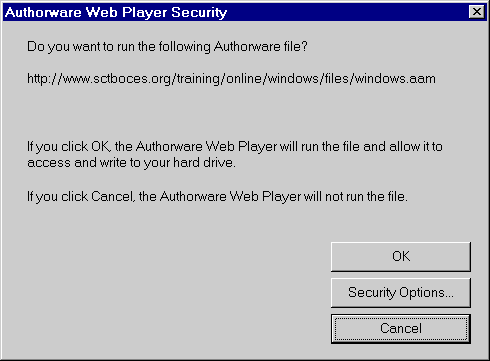
Note: The first time you run the course a security dialog box may appear. Click on OK and the course will work properly.


Beginner Covered Skills Advanced Covered Skills
|
|
|
Module 3bCreating A New Folder Copying Files Into A Folder Renaming Files and Folders Deleting Files- The Recycle Bin Customizing: Creating Shortcuts Adding A Shortcut To A Folder/Desktop Module 4Printing with Windows 95 Connecting to a Printer Specifying a Default Printer Module 5Using Online Help to Get Answers Using Help to find out about items in a dialog box |